首页 / 讨论 / Magic Cube 登录显示 “二维码加载错误/无网络”?2 个步骤即可修复!

首页 ' 论坛 ' 魔方 ' 搜索

查找答案、提出问题,并与我们的
世界各地的社区。.

首页 ' 论坛 ' 魔方 ' Magic Cube 登录显示 “二维码加载错误/无网络”?2 个步骤即可修复!

  • Magic Cube 登录显示 “二维码加载错误/无网络”?2 个步骤即可修复!

    发布者 Amdox on 30 12 月, 2025 at 6:40 上午

    Many teachers encounter prompts like “Error loading QR code” or “No network connection, please check your local network” when logging in. It’s frustrating when your internet seems fine but the app won’t connect! 🤔

    Actually, the issue usually isn’t your internet speed—it’s about these two key points. Follow these 2 steps to fix it instantly:

    Verify Connection: Ensure your computer is connected to a stable network to rule out any physical disconnections or Wi-Fi drops.

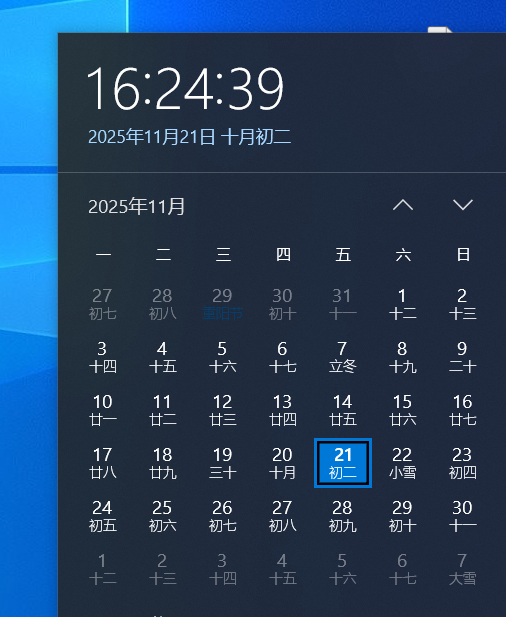
    Sync System Time (Crucial!): Check the date and time in the bottom right corner of your screen. It must be accurate to the minute. If your system time is out of sync, security certificates cannot be verified, causing the QR code to fail.

    💡 How to Fix: Right-click the time on your taskbar, select “Adjust date/time,” and toggle on “Set time automatically” (or manually update it to the correct time).

    Once your time is synced and the network is confirmed, reopen the login page, and the QR code will load perfectly! 🚀

    Amdox 答复 2 周 2 天前 1 名成员 - 0 条回复
  • 0 条回复

抱歉,没有找到回复。.

登录后回复。.

开始讨论
00 回覆 2018年6月
现在
Lv.
0 级别

追随者

后续行动

0

职位

我的简介

您必须登录后才能申请积分。.

通知

首页 ' 论坛 ' 魔方 ' Magic Cube 登录显示 “二维码加载错误/无网络”?2 个步骤即可修复!

您必须登录后才能创建新的讨论。.