



-
DMS Remote Lock Failed? Screen Opens Settings Instead? Fix It in 4 Steps!
Admins, have you ever encountered this “strange” behavior when using DMS for remote management? You send a lock screen password command, but instead of locking, the interactive flat panel just pops up the system “Settings” page? 🤔
Don’t worry, the command didn’t fail. The device is actually “reminding” you—the local Screen Lock function hasn’t been enabled yet! If the panel itself hasn’t activated its lock mechanism, it cannot accept a remote lock password.
You can fix this with just a few simple steps on the panel:
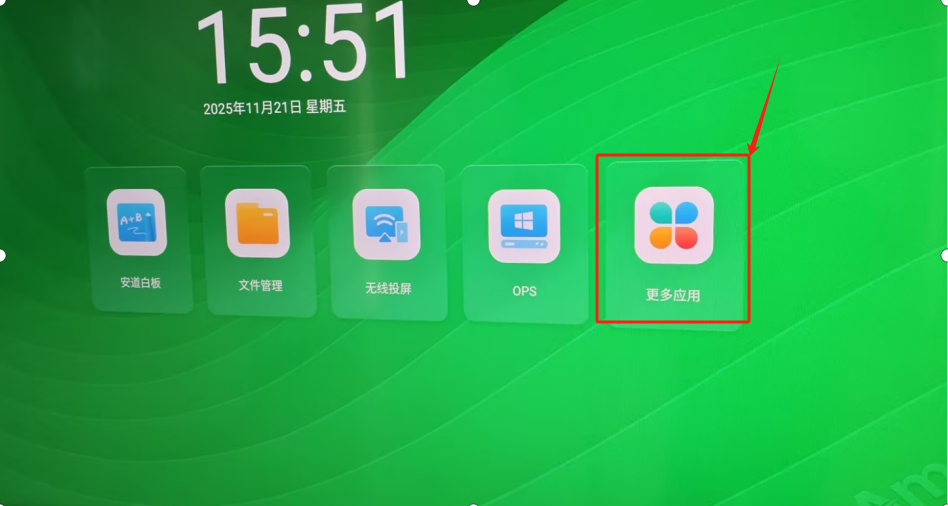
Click “More Apps” 📂 on the Home screen.
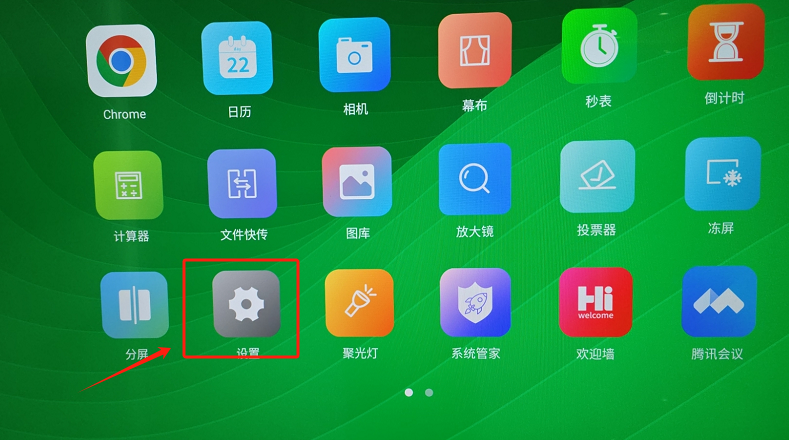
Find and click “Settings” ⚙️.
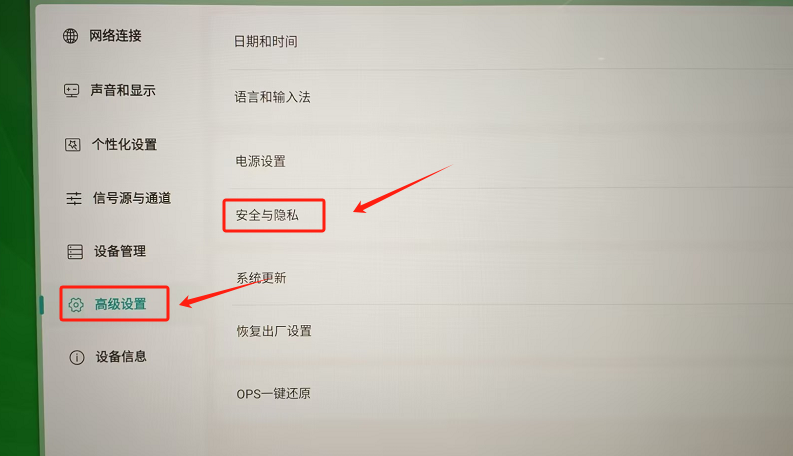
Go to “Advanced Settings” and select “Security & Privacy”.
Find the toggle button next to “Screen Lock”, switch it on, and set a 4-digit password as prompted.
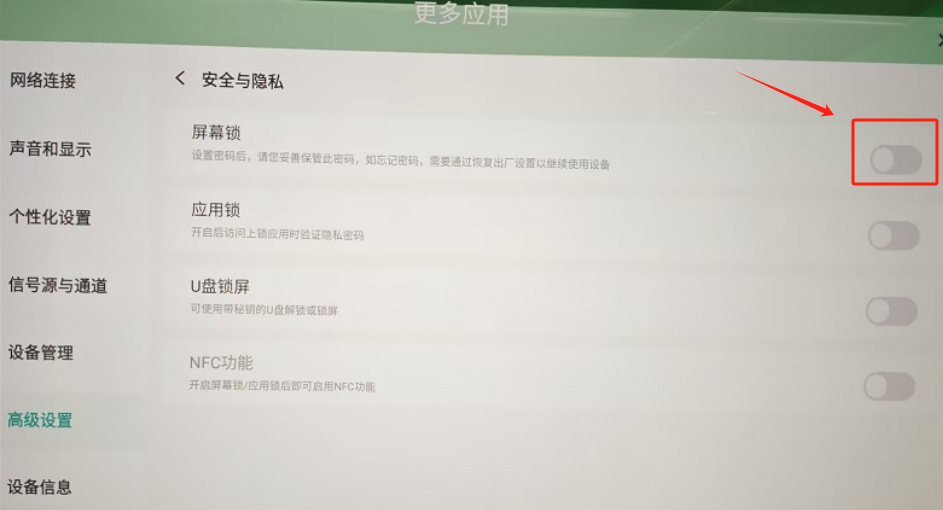
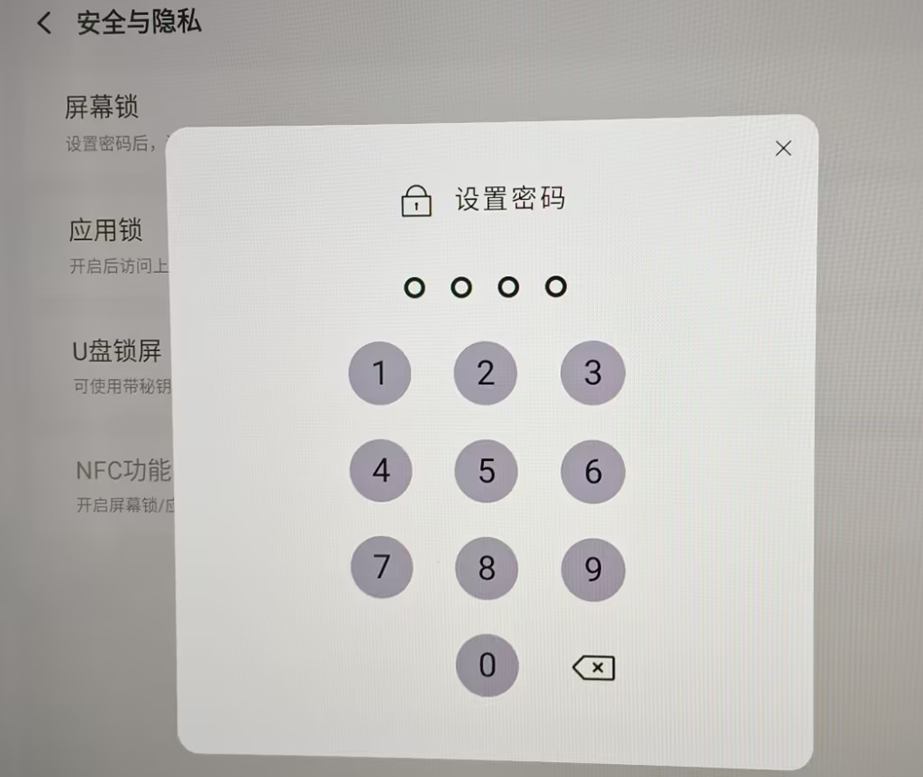
Find the toggle button next to “Screen Lock”, switch it on, and set a 4-digit password as prompted.
Sorry, there were no replies found.
Log in to reply.
 English
  简体中文
简体中文 