


Community Home / Service Cetner FAQ / How to modify the screen lock password via the DMS platform.

Community Home Forums Search

How to modify the screen lock password via the DMS platform.

Solution:

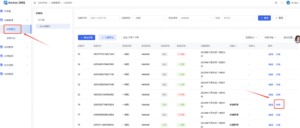
  • Log in to the DMS Platform, navigate to Device ManagementDevice Control, and click the Details button next to any online device.
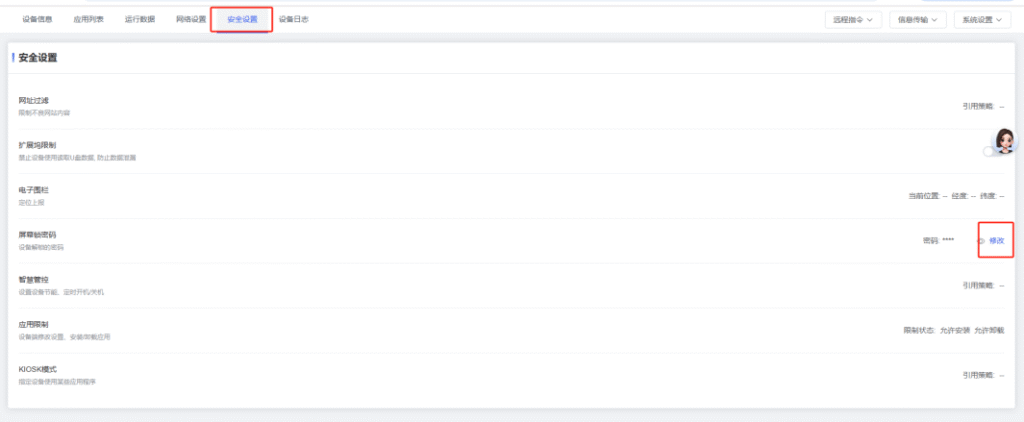
  • Click Security Settings, then click the Modify button next to the “Screen Lock Password” option.
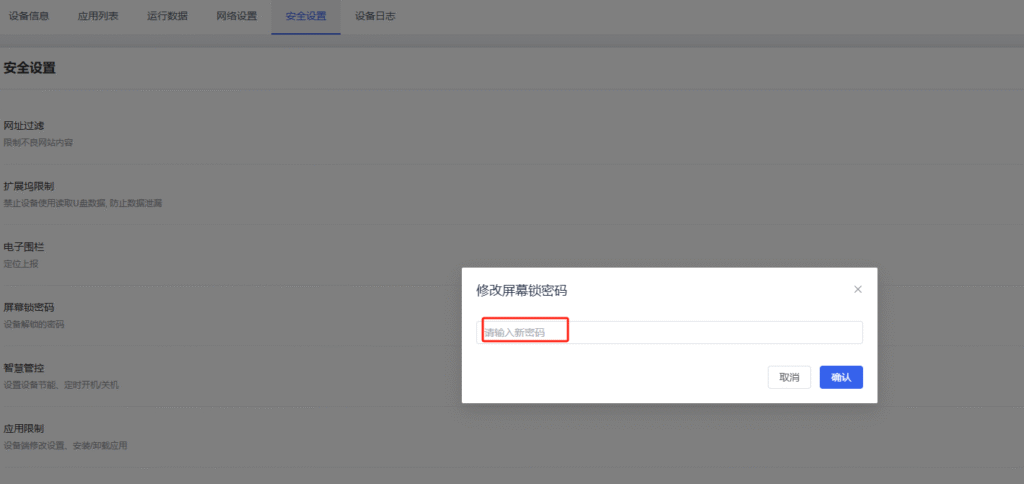
  • Enter a new 4-digit password and click Save.
guest
0 Comments
Oldest
Newest Most Voted
Inline Feedbacks
View all comments

Related FAQ

@
Lv.
0 Levels

Followers

Following

0

Posts

Profile

Daily Check In

Notifications

Congratulations! You Won

+15

Points

You must be logged in to claim points.

Community Home Forums How to modify the screen lock password via the DMS platform.

You must be logged in to create new discussions.


