



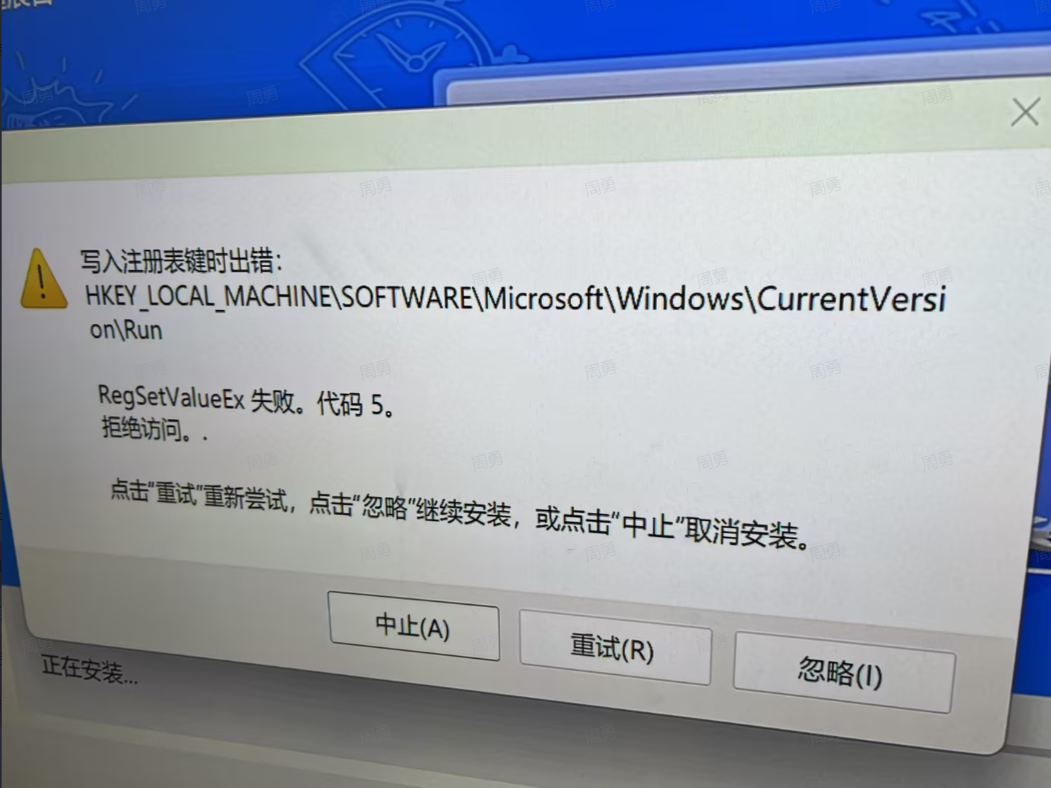
Possible Cause: Antivirus software is blocking the installer from writing to the system registry.
Solution: Completely exit your antivirus software and then restart the installation.
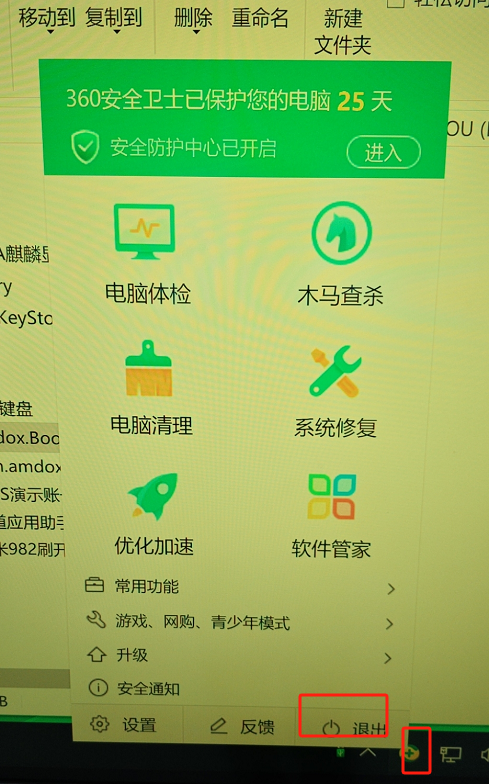
How to Exit (using 360 Security as an example): * Step 1: Long-press (or right-click) the 360 icon in the taskbar and select “Exit” from the pop-up menu.
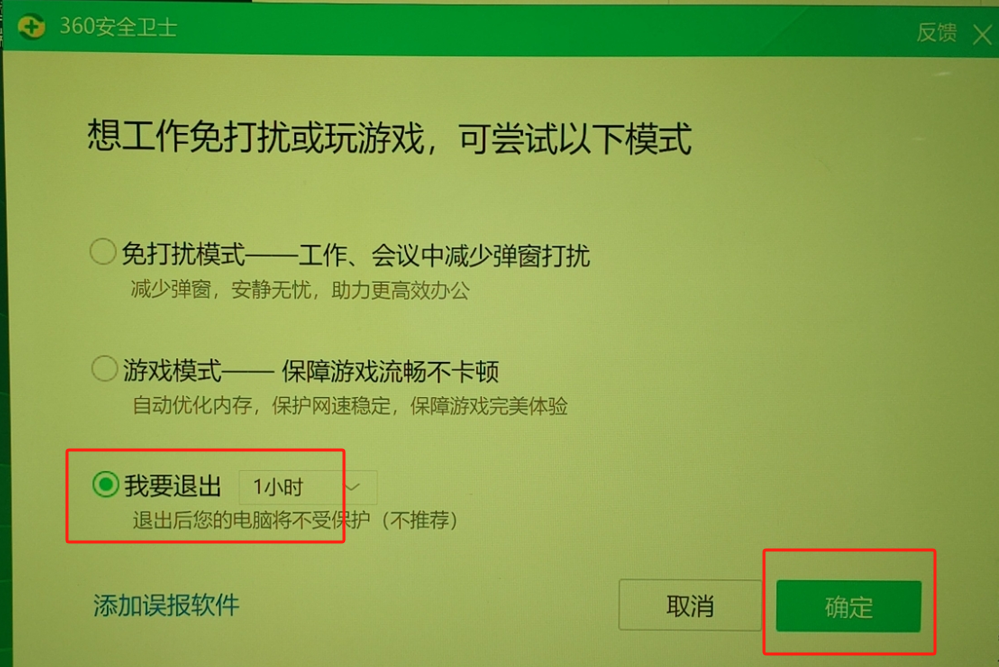
Step 2: Select the option “I want to exit” and click “Confirm.”
 English
  简体中文
简体中文 