



Possible Cause: None
Method:
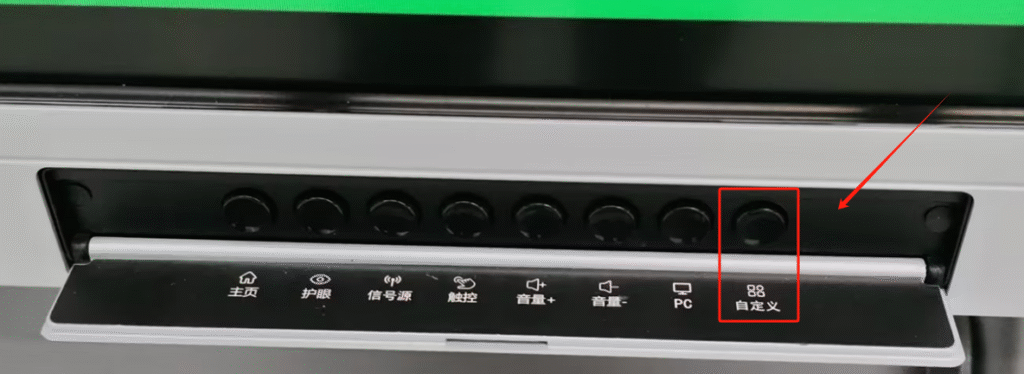
Step 1: Long-press the “Custom” button on the front physical button panel.
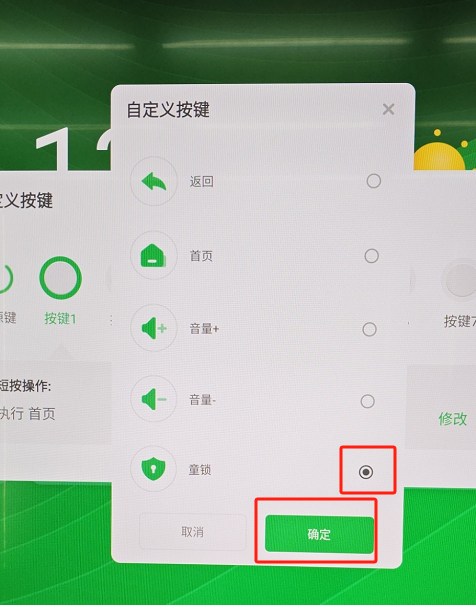
Step 2: Select any key (e.g., Key 1). Click the “Modify” button next to the “Short Press” or “Long Press” actions, then select the specific operation you wish to execute.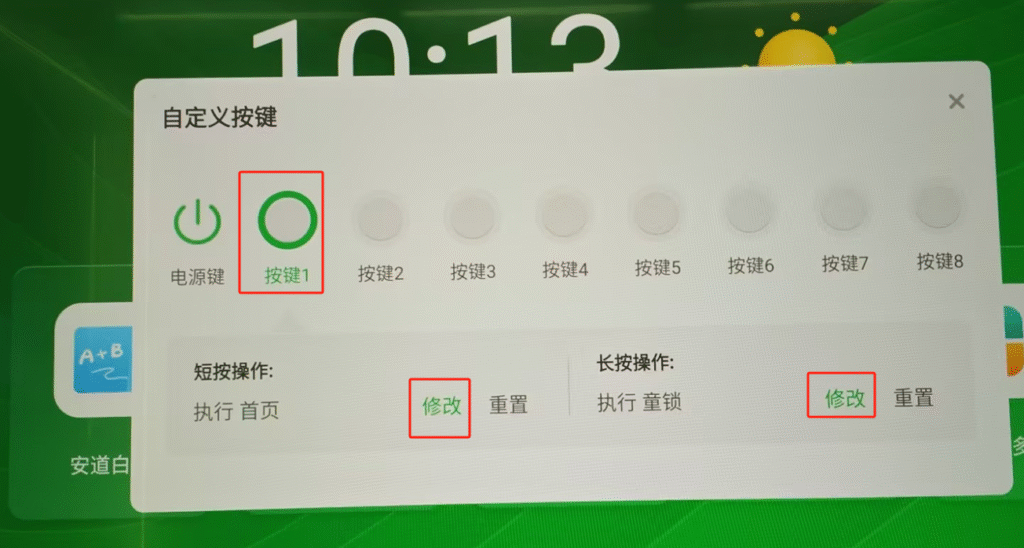
Step 3: Click “Confirm,” and finally close the custom button settings window.
 English
  简体中文
简体中文 