



The screen displays a “Double Split Screen” effect (image appears split or mirrored).
Possible Cause: The Split Screen Mode is incorrectly set to “Single Partition.”
Solution:
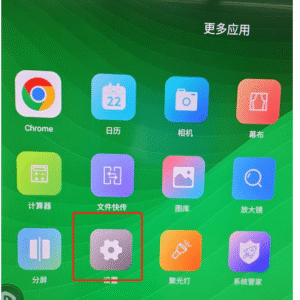
Step 1: Go to “More Apps” and click “Settings.”
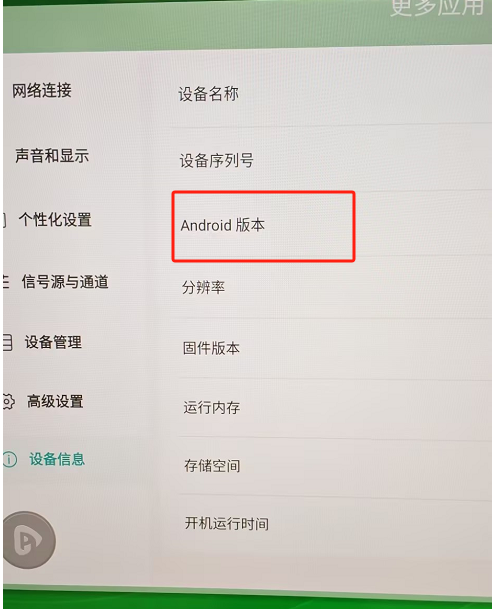
Step 2: Navigate to “Device Info.” Locate the “Android Version” and tap it 6 times in a row to enter the Factory Menu.
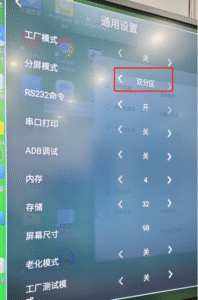
Step 3: Click on “General Settings,” find the “Split Screen Mode” option, and change the setting to “Double Partition.”
 English
  简体中文
简体中文 