



Possible Cause: None
Method:
I. Media Preparation
Import Boot Logo: Place a .bmp image in the USB drive path factory/logo/bootup.bmp.
Requirements: Filename must be bootup.bmp; Resolution: 1920*1080; Bit Depth: 16-bit (R5 G6 B5).
Import Boot Animation: Place an .mp4 video in the USB drive path factory/video/bootvideo.mp4.
Requirements: Filename must be bootvideo.mp4.
II. Flashing Process
Connect the prepared USB drive to the large screen.
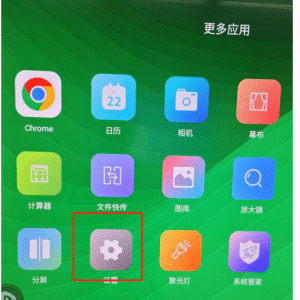
Go to More Apps and click Settings.
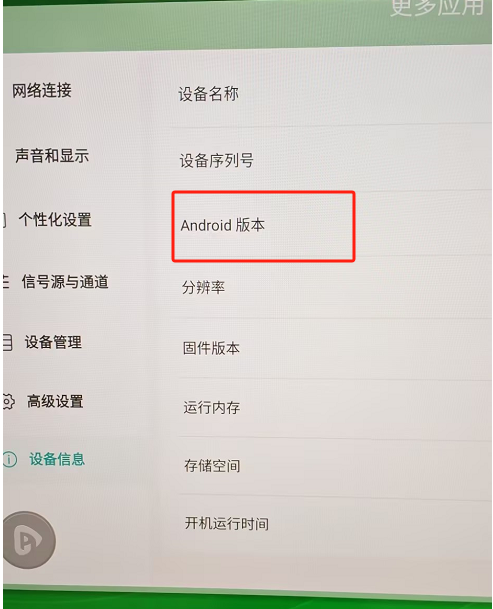
Navigate to Device Info and tap the Android Version 6 times consecutively to enter the Factory Menu.
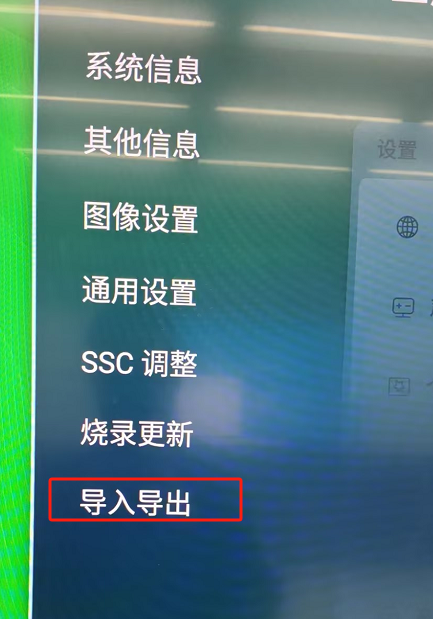
Switch to the Import/Export tab and click Import Boot Image or Import Boot Video.
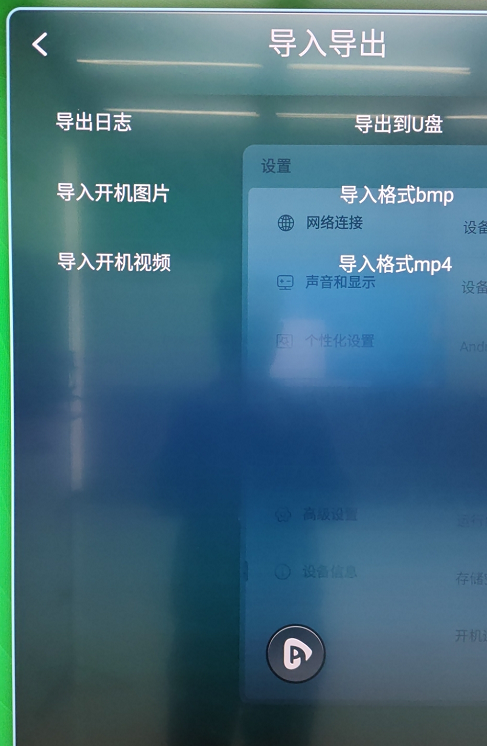
Note: Once the flashing is complete, please turn off the Factory Test Mode.
 English
  简体中文
简体中文 