



Possible Cause: The Network Sharing setting is configured to: Soft Router.
Solution:
-
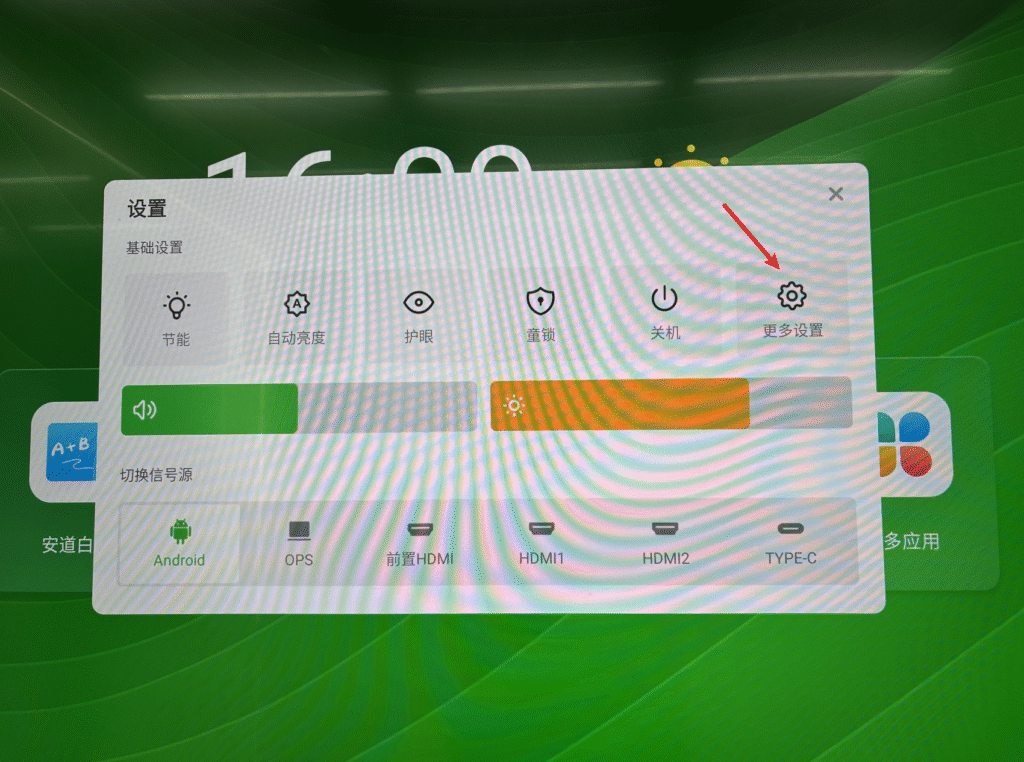
Switch to the Android channel — swipe up from the bottom of the screen to bring up the menu bar — click More.
-
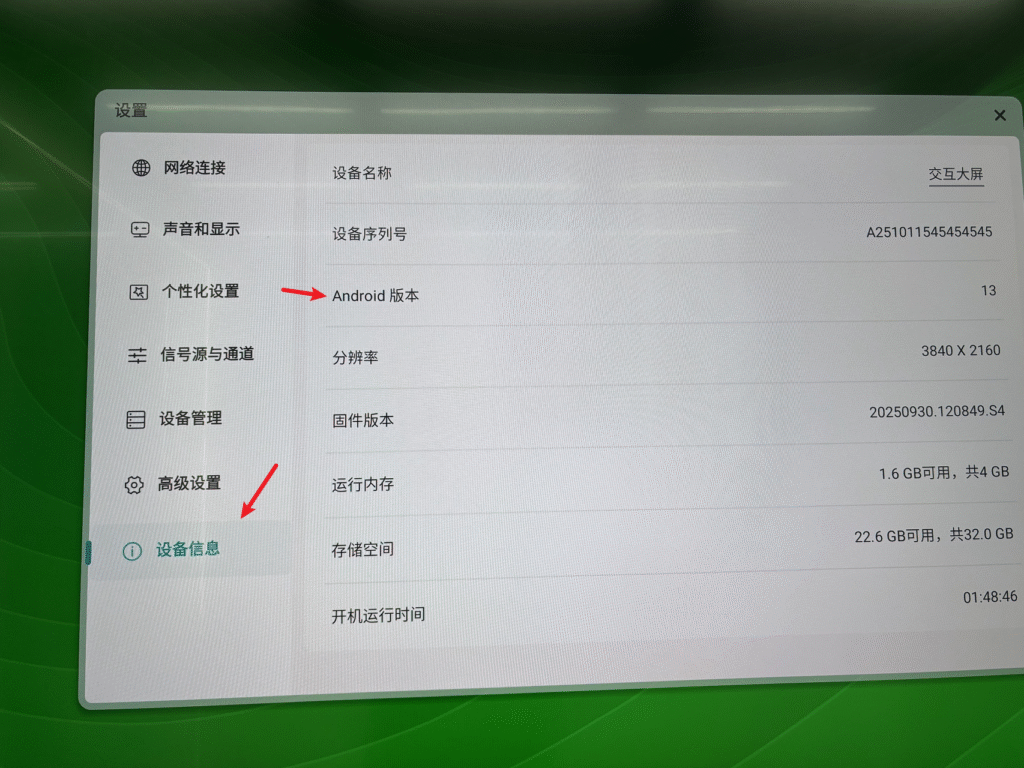
Click Device Information — locate the Android Version option — tap Android Version 6 times consecutively to open the Factory Menu.
-
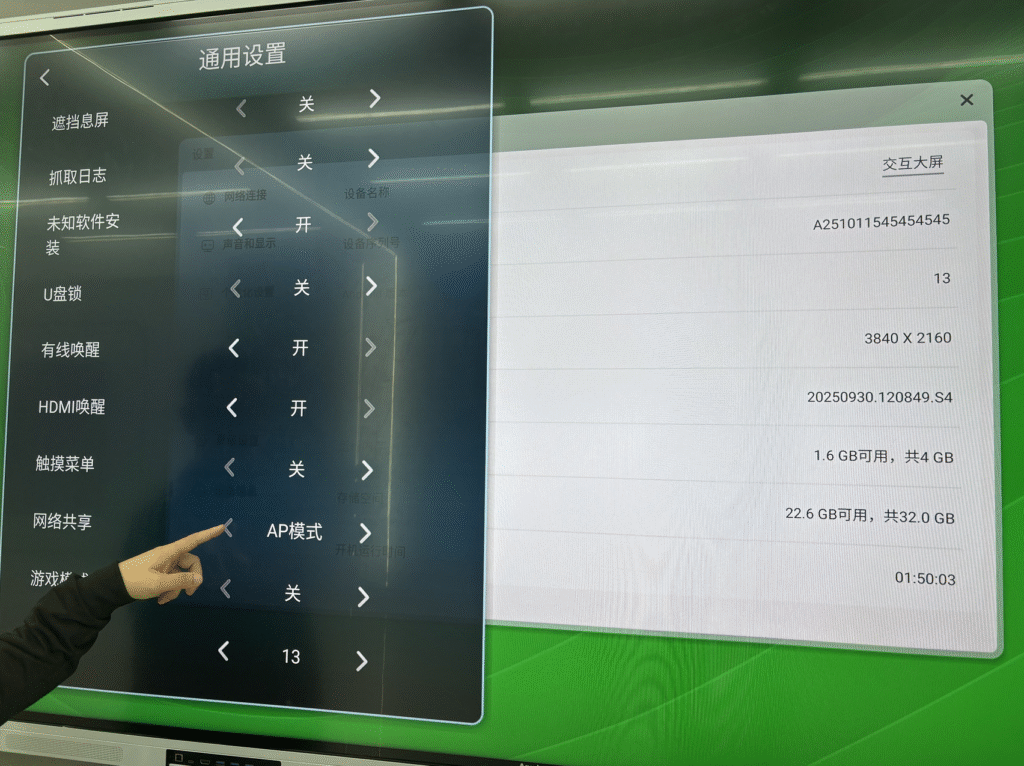
Click General Settings, scroll to the bottom to find Network Sharing, and switch it to AP Mode.
 English
  简体中文
简体中文 