



-
Why I Swear by IWB’s “Split Screen”: Bring Your Classroom to Life!
Do you ever feel like your classroom interaction is lacking and student participation is low? 🤔 Today, let me show you how IWB’s “Split Screen” feature can solve this and get students up to the board and hands-on!
It is super easy to set up: Just go to “More” – “Split Screen”, choose a background color, and select the number of writers 👥. The screen will instantly divide into independent writing zones.
Personalized Settings: If students want to change colors, they can switch them right at the bottom of their own zone 🖍️.
No Interference: Each zone supports independent writing and erasing. This ensures every student’s work is clearly visible, and there is no risk of accidentally wiping out a neighbor’s answer.
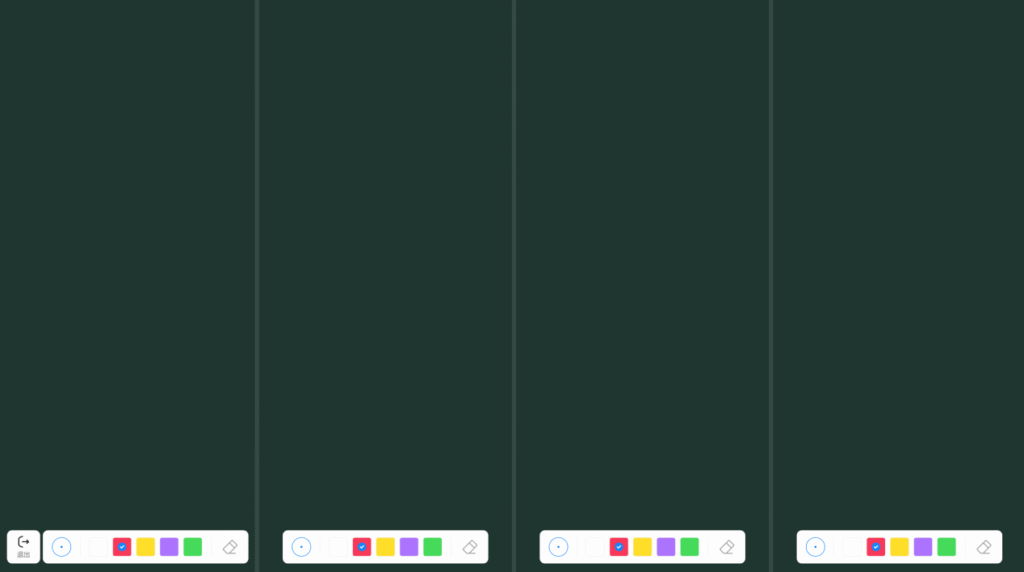
See? This is exactly the kind of healthy interaction a classroom needs! If you want to quickly start a student competition or a comparative explanation, give the IWB Split Screen feature a try. It will definitely energize your class—I’m sure you’ll love it!
💬 Interaction: How many student groups would you like to display simultaneously in Split Screen? A 1v1 duel or a 3-person race? Let us know in the comments!
Sorry, there were no replies found.
Log in to reply.
 English
  简体中文
简体中文 