



-
Still Running Classroom to Classroom to Power Off Devices? DMS Remote Control Is Faster Than Your Legs
As the IT admin at school, the phrases I fear most are:
“Someone forgot to turn off the display again…”
“The teacher says there’s no sound and doesn’t know what to do…”Before DMS, I literally had to grab keys and run all over the building. Now? I handle everything from my desk.
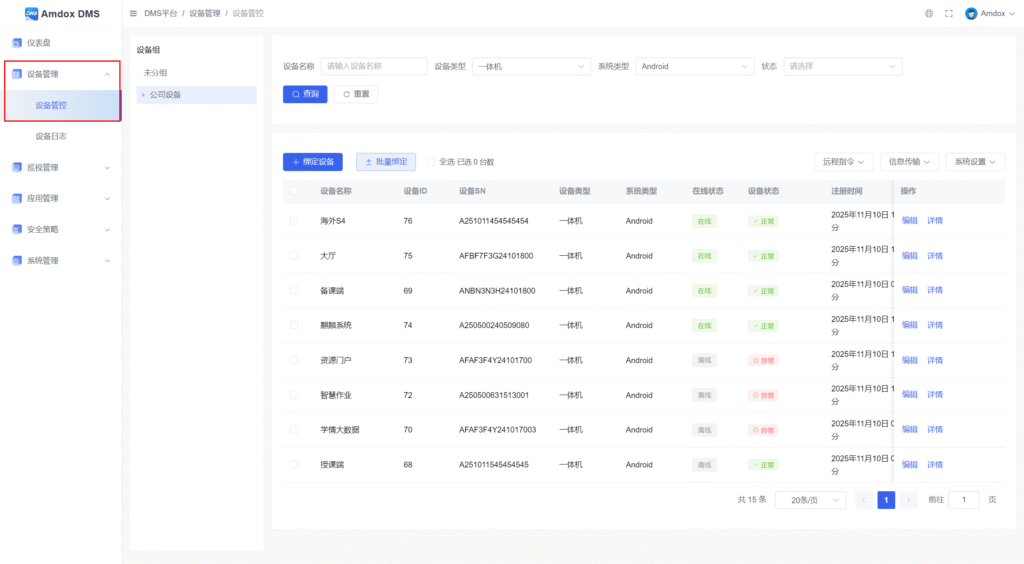
(Image above shows the Device Management interface)
👇 Here’s how DMS completely changed my daily work:
✅ Batch Power On/Off — Pure Satisfaction
After school used to mean one hour of classroom checks.
Now I just select a device group (like “Middle School”), click Remote Command → Power On/Off or Restart, and I’m done.
Honestly, the electricity savings alone are worth it.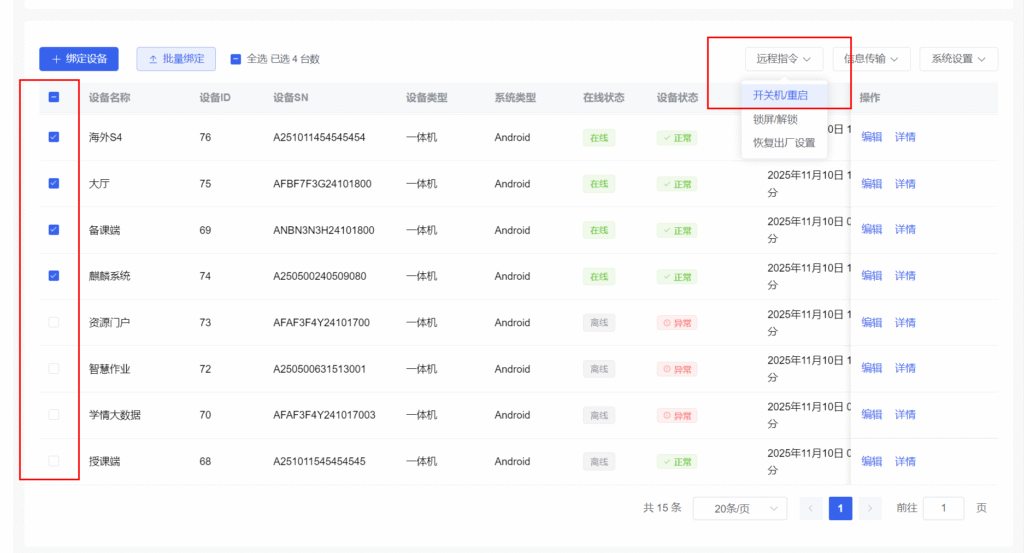
✅ Remote Troubleshooting — No Classroom Interruptions
No sound? Wrong input source?
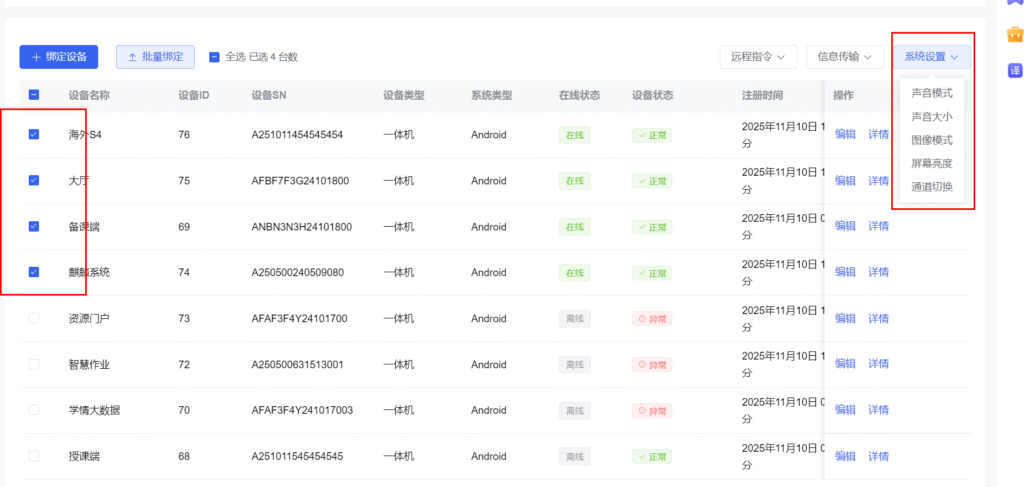
No need to rush to the classroom. I select the device in DMS and remotely:-
Adjust the volume
-
Switch the input source
-
Change display modes
Problem solved in seconds, class continues smoothly.
✅ One-Click Screen Lock — Student-Proof
Worried about students messing with devices during breaks?
Just send a Lock Screen command. No password, no access, no surprises.With DMS, device management is no longer physical labor —
it’s precision work at your fingertips. ✨
-
Sorry, there were no replies found.
Log in to reply.
 English
  简体中文
简体中文 