



-
OPS Display Turned Yellow? It’s Not Broken, It’s Just “Protecting” You!
Teachers, have you noticed something odd when using the OPS computer for class? Does the whole screen look yellowish, as if an old photo filter has been applied? 🎨
Don’t call for repairs just yet! The screen isn’t aging or broken. This usually happens because the device has thoughtfully enabled ” Eye Protection Mode” to reduce blue light, which makes the color temperature warmer (yellower).
To get your true colors back, just check these two spots:
Check the Large Screen’s Eye Protection: Look at the front button panel on the screen bezel. Find the “Eye Protection” button (usually an eye icon 👁) and press it to see if the color returns to normal.
Check OPS (Windows) Settings: If the button doesn’t work, it’s likely a Windows setting.
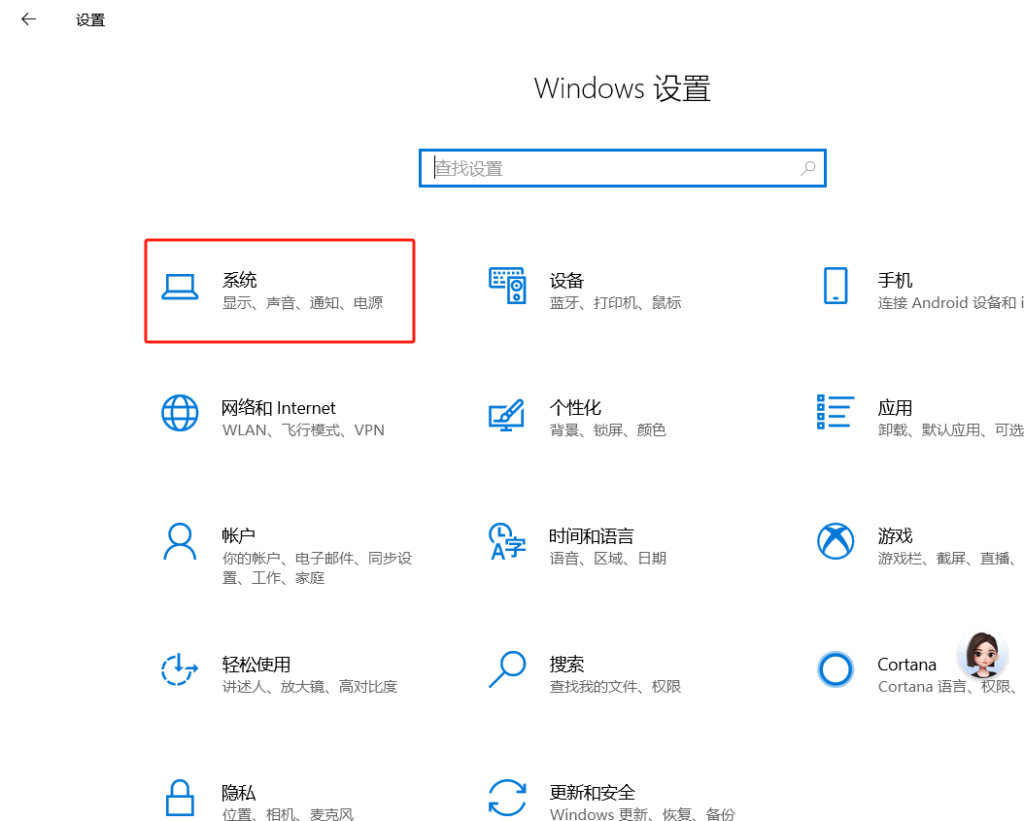
Open the Start Menu and go to Settings ⚙.
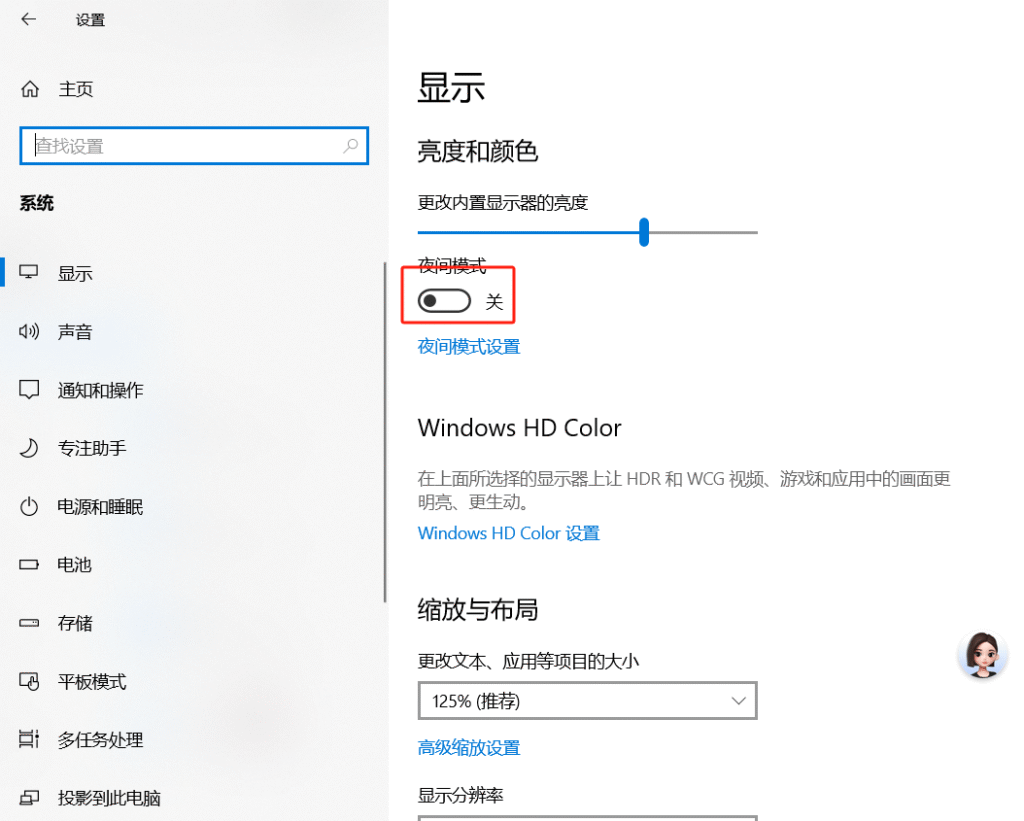
Select System -> Display.
Find the “Night light” toggle and switch it to Off.
Just one or two clicks, and your screen will be crisp and bright again! Go give it a try! ✨
Sorry, there were no replies found.
Log in to reply.
 English
  简体中文
简体中文 