



-
Getting “Runtime Error” During Panosight Installation? Turn Off Huorong to Fix It!
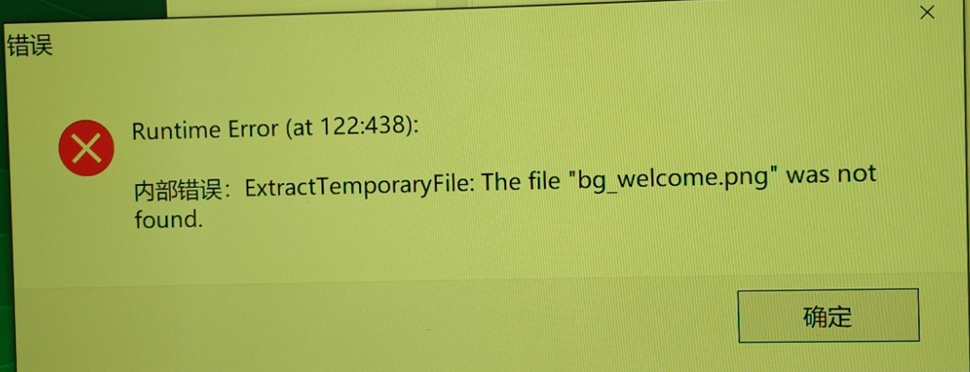
Teachers, have you ever been startled by a sudden error popup while installing Panosight? Seeing “Runtime Error (at 122438)” on the screen might make you think your system has crashed! 😱
Relax, your computer isn’t broken, and the installer is fine. This is usually because the “Huorong Security” software is being a bit too sensitive and blocking the Panosight installation process by mistake. 🚫
You just need to give this “bodyguard” a short break to proceed. Here is how to completely close Huorong:
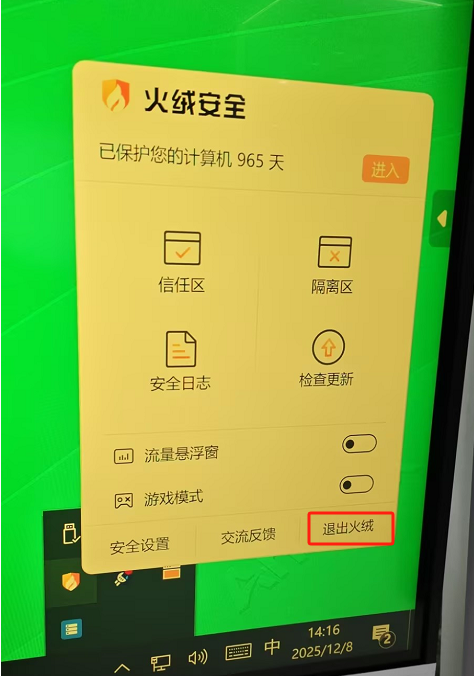
Find the Huorong icon in the taskbar at the bottom right corner of your screen (check the small arrow if you don’t see it).
Right-click (or long press) the icon and select “Exit Huorong” from the menu.
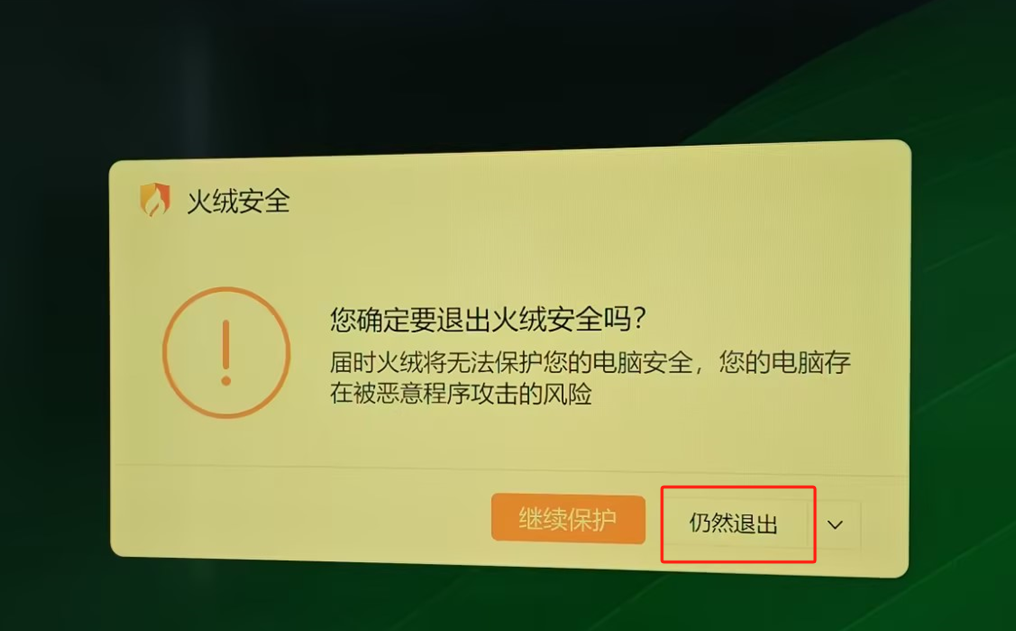
If a confirmation window pops up, strictly click “Still Exit” (or Quit).
Once exited, run the Panosight installer again. The error will disappear, and the installation will finish smoothly! 🚦 Don’t forget to restart Huorong afterwards to keep your PC safe!
Sorry, there were no replies found.
Log in to reply.
 English
  简体中文
简体中文 