



-
Panosight Install Blocked by “Registry Write Failed”? It’s Just Your Antivirus!
Teachers, have you ever had this “scary” moment while installing Panosight: the progress bar stops, and a warning pops up saying “Registry writing failed”? 😱
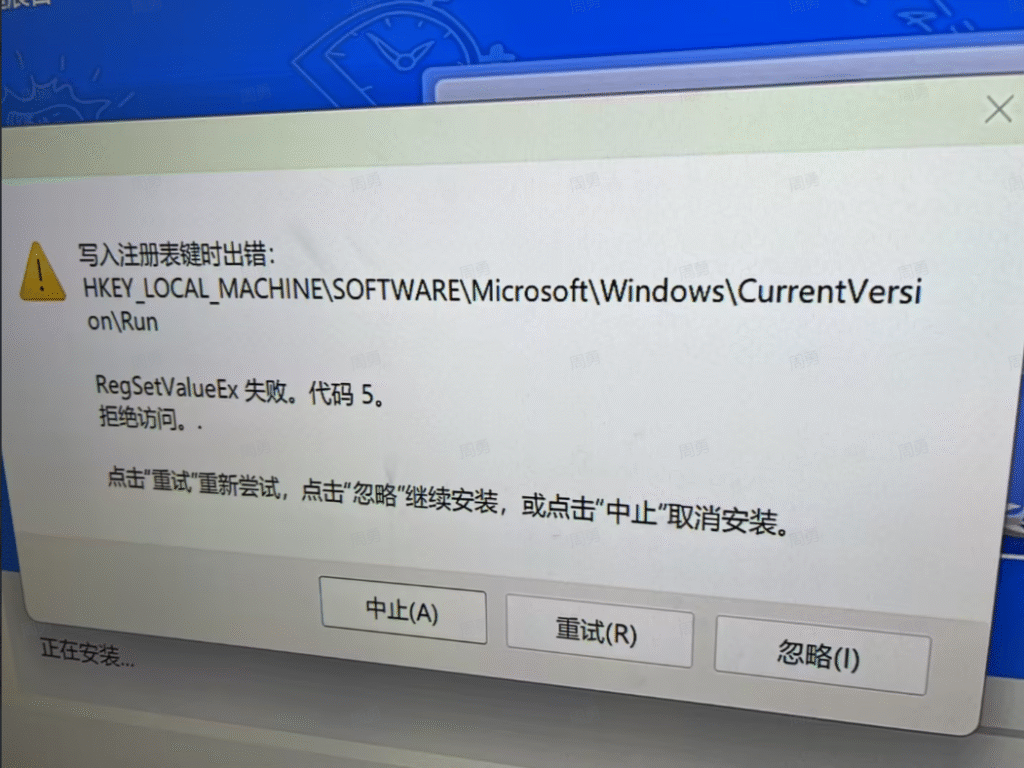
Seeing such a technical error might make you worry that your computer system is broken.
Don’t panic! Your computer is fine, and there is no virus. This usually happens simply because 360 Security (or other antivirus software) is being too “diligent.” To protect your system, it mistakenly blocks the normal installation process (writing to the registry) as a potential threat. 🚫
The fix is super easy—just ask the antivirus to “step down” for a few minutes. Here is how to do it with 360:
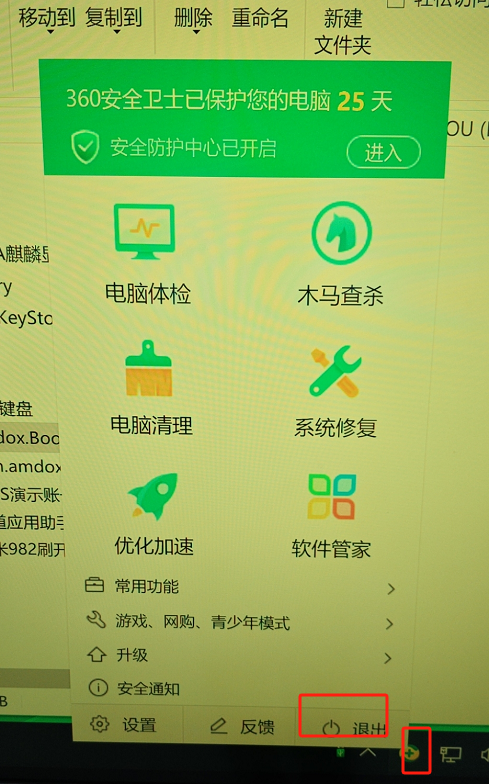
Find the 360 icon (green shield or cross) in the taskbar at the bottom right.
Right-click (or long press) the icon and select “Exit” from the menu.
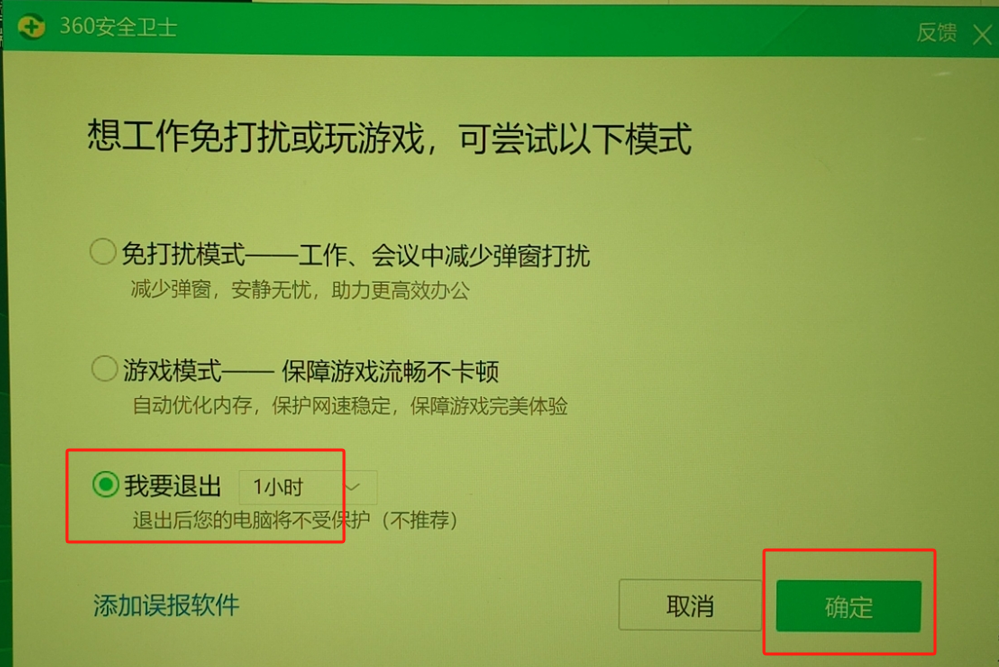
In the confirmation window, select “I want to exit” and click “Confirm”.
Once fully exited, run the Panosight installer again. You’ll see the error is gone, and the installation finishes instantly! 🚦
Sorry, there were no replies found.
Log in to reply.
 English
  简体中文
简体中文 