



Possible Causes:
The Large Screen’s “Eye Protection Mode” is enabled.
The OPS “Night Light” mode is turned on.
Methods:
Disable the Large Screen’s Eye Protection: Click the Eye Protection button on the front physical button panel.
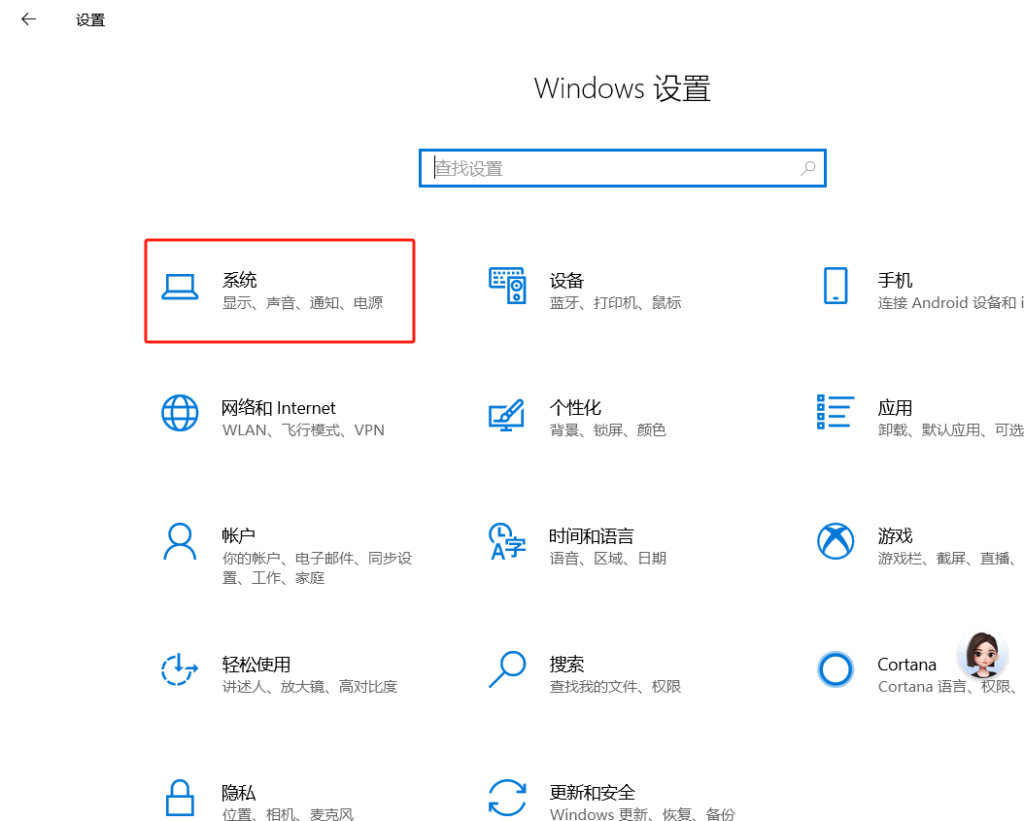
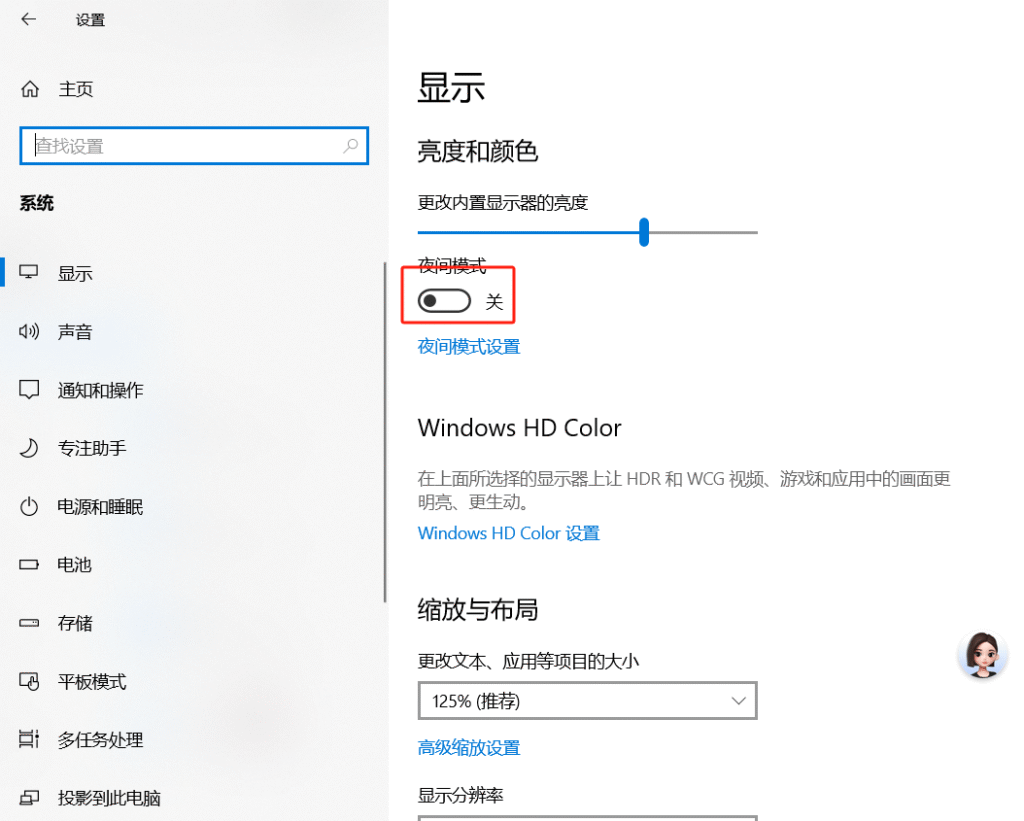
Disable the OPS Night Light Mode: Open the menu and go to Settings -> System -> Display, then toggle Night light to Off.
 English
  简体中文
简体中文 