



Possible Cause: Antivirus software is blocking the visualizer from accessing the camera.
Solution: Allow the visualizer to access the camera.
Steps:
-
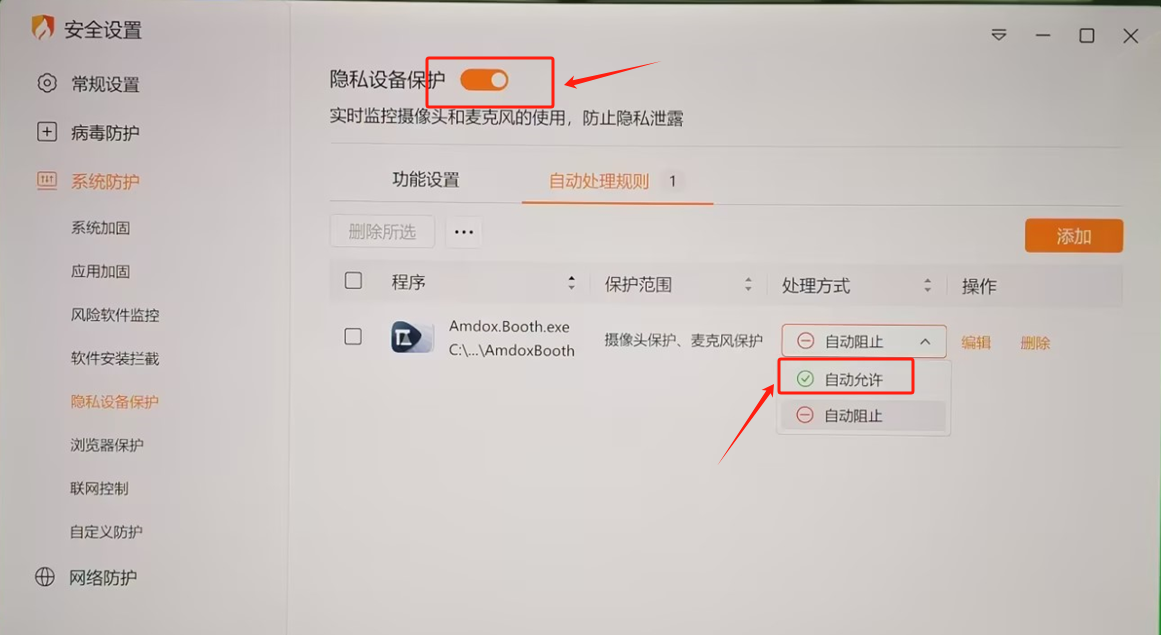
Open your antivirus software (e.g., Huorong).
-
Go to Settings → System Protection → Privacy Device Protection.
-
Turn off camera protection, or set the visualizer application to Allow under automatic processing rules.
 English
  简体中文
简体中文 