


Community Home / Service Cetner FAQ / Finger handwriting occasionally triggers the eraser function.

Community Home Forums Search

Finger handwriting occasionally triggers the eraser function.

Possible Cause: The finger threshold setting is too high.

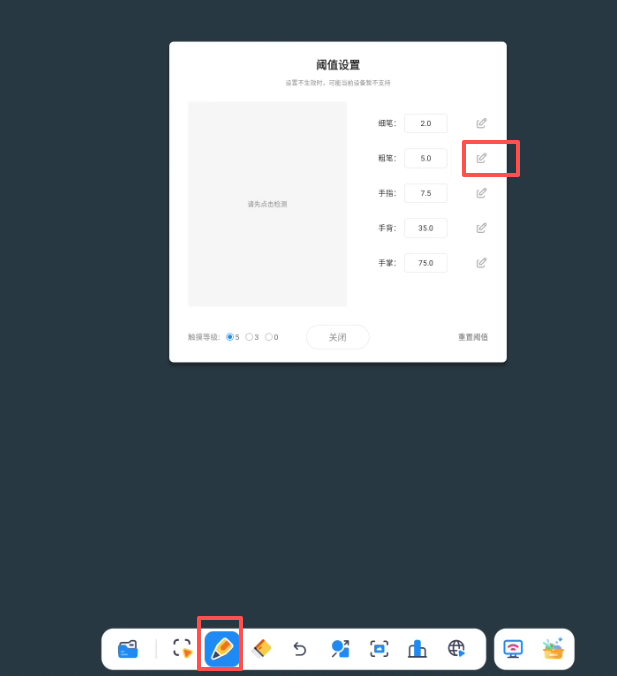
Solution: Reset the finger threshold:

  • Long-press Finger Writing to bring up the threshold settings window.

  • Click the Edit button next to the “Finger” option.

  • Press and hold your finger within the Recognition Area.

  • Click the Save button next to the “Finger” option to apply the new threshold.
guest
0 Comments
Oldest
Newest Most Voted
Inline Feedbacks
View all comments

Related FAQ

@
Lv.
0 Levels

Followers

Following

0

Posts

Profile

Daily Check In

Notifications

Congratulations! You Won

+15

Points

You must be logged in to claim points.

Community Home Forums Finger handwriting occasionally triggers the eraser function.

You must be logged in to create new discussions.


