



Possible Cause: The device group type is set to: Menu.
Solution: Create a new device group:
-
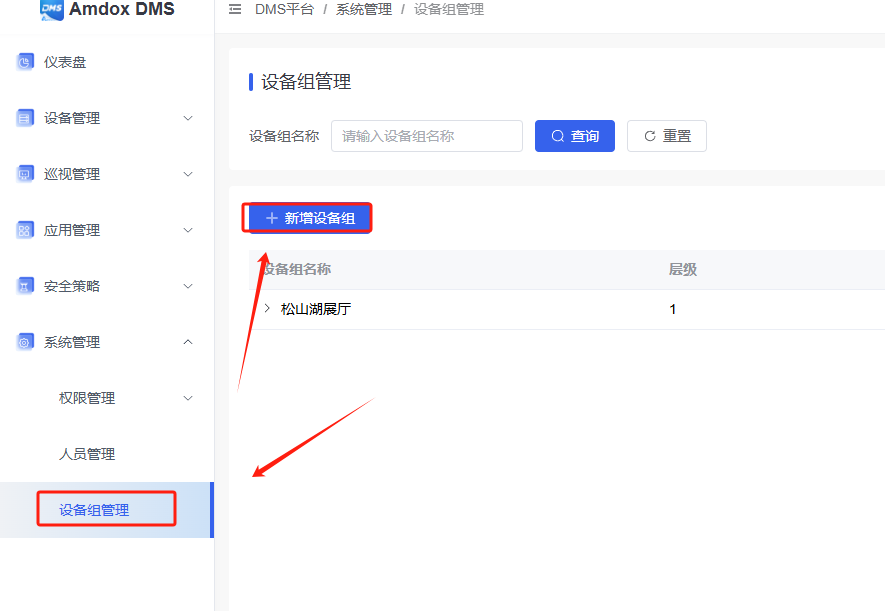
Log in to the DMS Platform — System Settings — Device Group Management, and click Add Device Group.
-
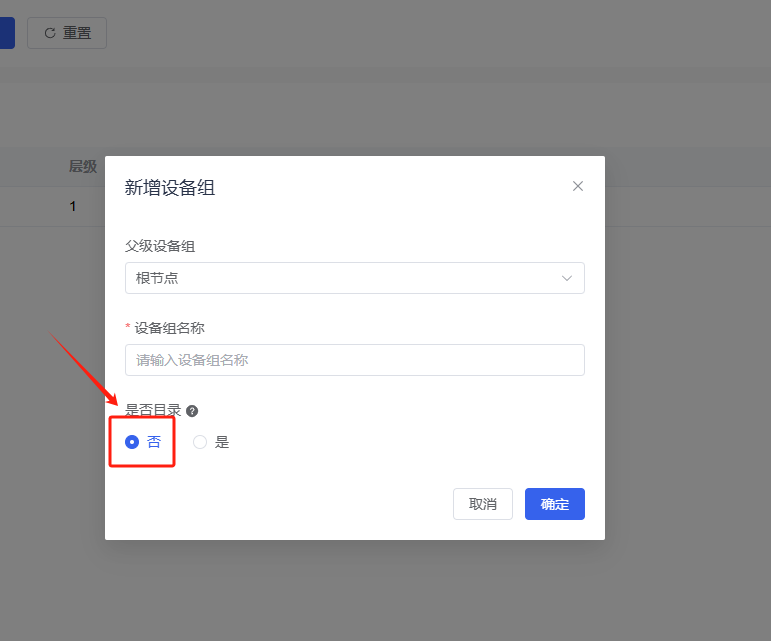
Set “Is it a directory?” to No. Fill in the remaining fields as required and click OK
 English
  简体中文
简体中文 