


Community Home / Service Cetner FAQ / How to reset the lock screen password.

Community Home Forums Search

How to reset the lock screen password.

Possible Cause: The lock screen password has been forgotten.

Solution:

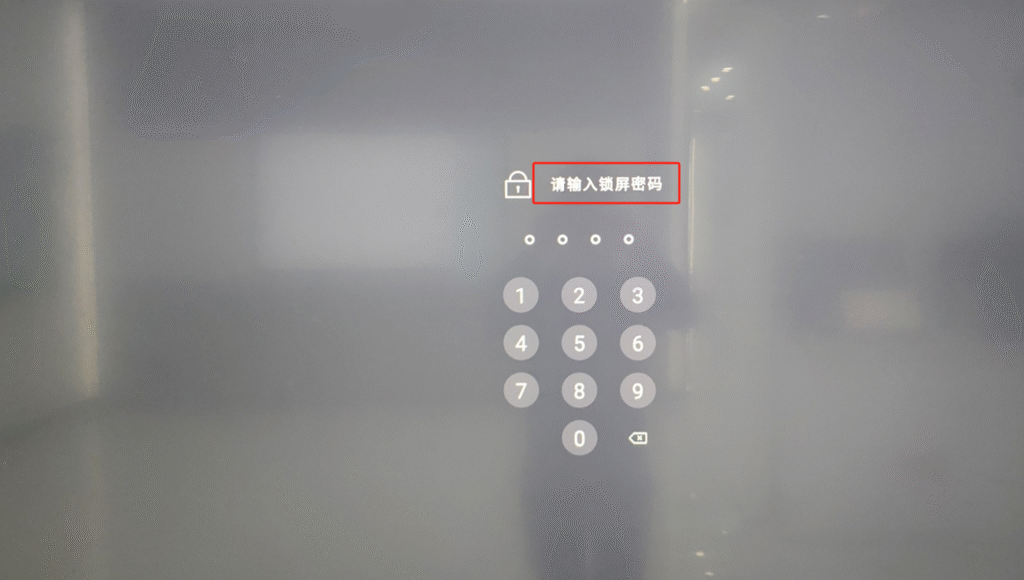
  • On the lock screen interface, tap the prompt “Please enter lock screen password” 7 times consecutively, then enter the master code: 0000.
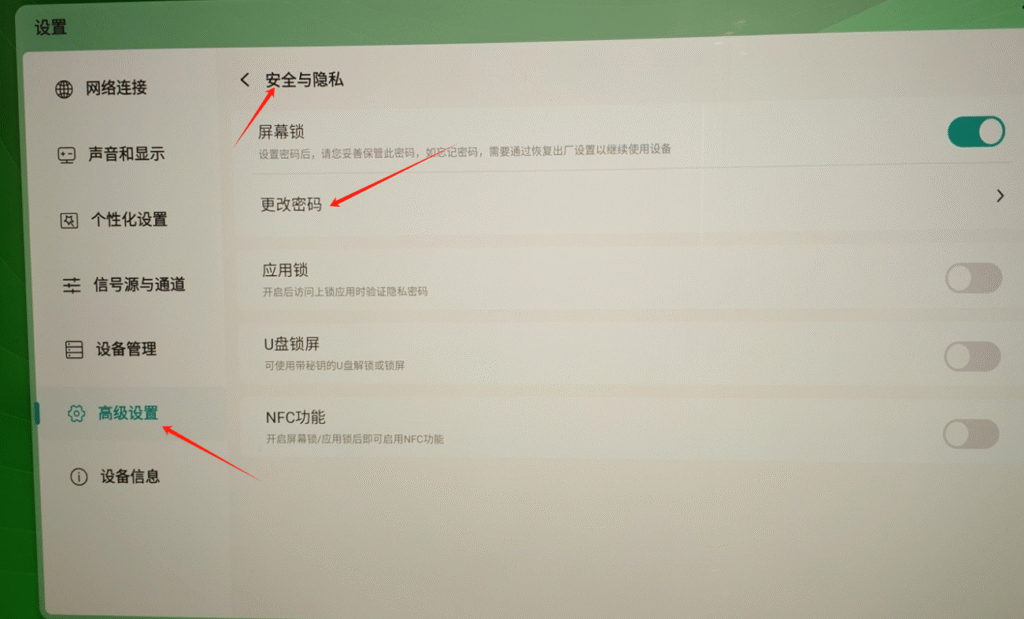
  • After unlocking the device, navigate to SettingsAdvanced SettingsSecurity & Privacy to configure a new lock screen password.
guest
0 Comments
Oldest
Newest Most Voted
Inline Feedbacks
View all comments

Related FAQ

@
Lv.
0 Levels

Followers

Following

0

Posts

Profile

Daily Check In

Notifications

Congratulations! You Won

+15

Points

You must be logged in to claim points.

Community Home Forums How to reset the lock screen password.

You must be logged in to create new discussions.


