



-
Wireless Screen Sharing Shows a Blue Screen? I Fixed It in 2 Steps—Clear Image Back Instantly!
Has this ever happened to you? I was using a wireless screen sharing dongle in class, and suddenly the screen turned blue. My presentation stopped, and it totally disrupted the lesson.
Turns out, the issue was simple—the screen sharing software wasn’t activated, or the trial activation had expired. Here’s how I fixed it in just 2 quick steps:
Step 1: Activate the screen sharing software
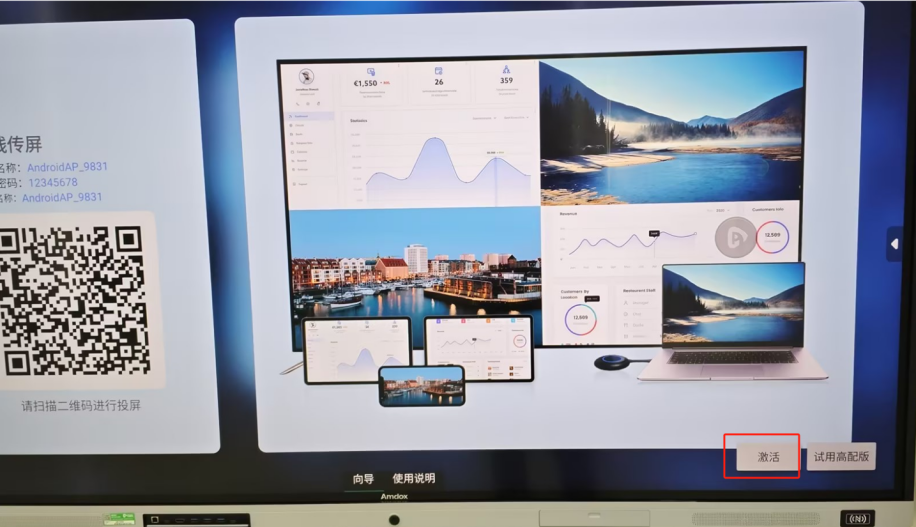
On the dongle’s home screen, tap “Activate” and enter a valid activation code.
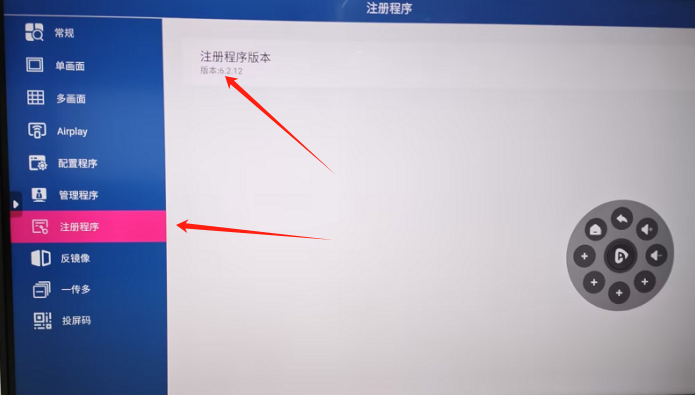
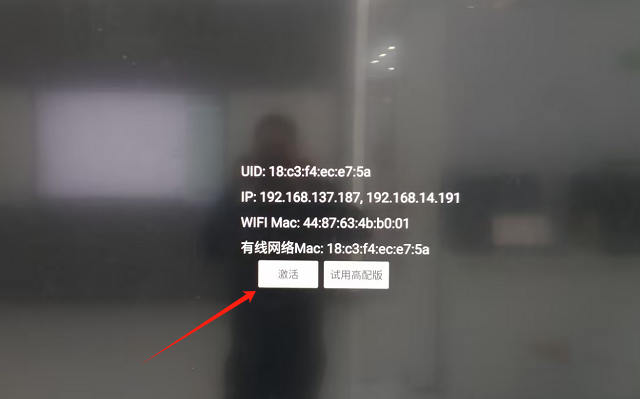
Or go to Settings → Program Registration → Registered Version, then click “Activate.”
Step 2: Pair the dongle
Plug the dongle’s USB or Type-C port into the interactive display until you see the message “Pairing successful.”
Once paired, plug the dongle into your computer and press the button in the center.
The screen comes back clear and stable right away!If you run into a blue screen again, try this first—it saved my class. 👍
Sorry, there were no replies found.
Log in to reply.
 English
  简体中文
简体中文 